

Qualification and Necessities for German Players
Prior to beginning, winsharkcasino, verify you satisfy the basic requirements. The main rule is age: you need to be 18 or older to play. The registration form requests your date of birth and blocks anyone underage. Afterwards, during KYC, we verify your ID to confirm your age. If the dates do not align, your account gets suspended immediately. We take this seriously because it’s a legal requirement in Germany and a central part of responsible gambling. Verifying your eligibility now avoids delays and ensures the sign-up process smooth. Have your ID documents ready, because you’ll need them shortly after registering. A little preparation reduces time and enables you to get into the games faster. Providing false information will lead to account termination permanently.
Apart from age, you must be physically in Germany when you register and play. We utilize geolocation and IP checks to validate your location. If you’re using a VPN or proxy, disable it before signing up—otherwise, our system will likely flag it and prevent the registration. You’ll also require a working email address. That’s your login and the channel for all important messages: verification links, withdrawal confirmations, and so on. Have a government-issued photo ID and a recent proof of address handy—a utility bill or bank statement from the last three months does the job. Organizing these now expedites the verification step. Make sure every detail you enter matches your documents exactly; even a small typo can create a discrepancy and hinder progress. We advise double-checking each field before you hit submit. A mobile number is often requested; it’s optional but aids in account recovery.
Administering Your Account: Login, Password Recovery, and Login Security
Logging in is straightforward: go to the main site, click login, and enter your email and password. If you have 2FA turned on, you’ll also need the code from your app or SMS. Once you’re in, you’ll see your dashboard, cashier, and games. Use the ‘Remember me’ checkbox only on personal devices that have a password or biometric lock. On communal computers, leave it unchecked and log out by hand when you’re done. The platform may log you out automatically after a period of inactivity—that’s a security feature to safeguard your account if you step away. These habits reduce the risk of someone else accessing your account. Always double-check that you’re on the actual Winshark site before typing in your details; fake login pages can look identical. Bookmark the correct URL so you never land on an imposter. We also recommend keeping your browser and operating system up to date to fix security holes. A protected login routine takes little effort and goes a long way toward keeping your funds and personal information secure.
Forgot your password? Click the ‘Forgot password?’ link on the login page. Enter the email address you registered with, and we’ll send you a reset link. Click that link, create a new strong password, and log in. If you don’t see the email, check your spam folder and make sure you typed the address right. If you’ve lost access to your email account too, contact support directly. Be ready to prove your identity with your full name, date of birth, and possibly a copy of your ID. Manual recovery takes extra time, so it’s worth keeping your email safe. Update your password from time to time and don’t reuse old ones. A password manager can generate and store strong passwords for you. We also suggest turning on any security features your email provider offers, like two-factor authentication for your email account. These steps mean you can always recover your casino account swiftly if needed. Support is available around the clock for account recovery issues.
Step-by-Step Registration Walkthrough
Submit the registration form carefully—speeding results in slip-ups that slow you down. Enter your email and a secure password (mix capital letters, small letters, digits, and special characters). Then input your full legal name precisely as it appears on your ID, your date of birth, and gender. A single typo can cause verification to be rejected later. Next, enter your residential address: street, house number, postal code, city, and select the country to Germany. A mobile number is often requested; it’s optional but useful for account recovery. Select Euro as your currency to avoid conversion fees. Go back and check every field. A wrong digit in the postal code can trigger an automated mismatch. Fixing this now avoids hassle and makes sure your account is created correctly from day one. The whole form usually requires under five minutes if you have your details ready.
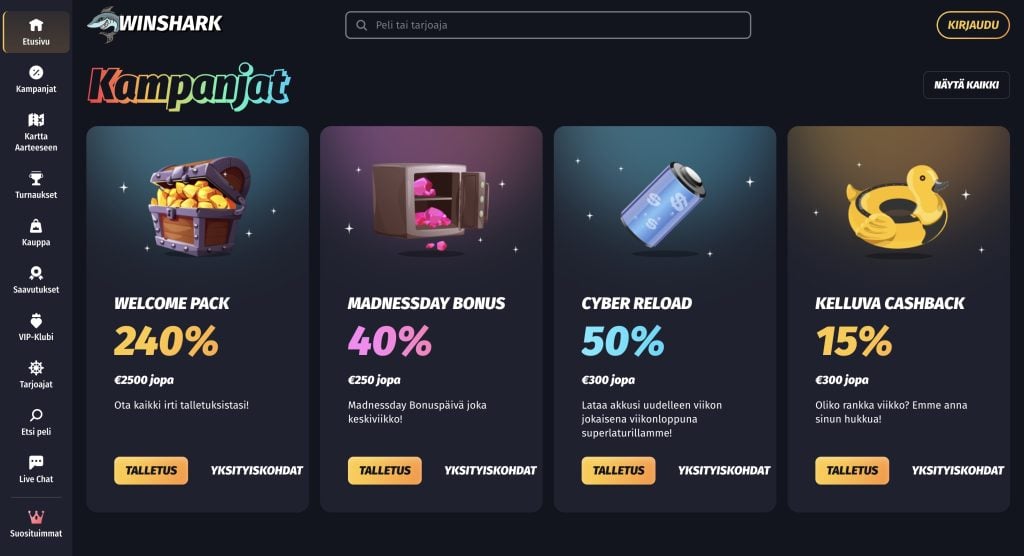
During sign-up, you might come across a welcome bonus offer. Study the terms carefully—check the wagering requirements, time limits, and which games count. You can claim it, skip it, or enable it later from the promotions page. To complete registration, mark the box to acknowledge the terms and conditions, verify you’re of legal age, and check the privacy policy. After you submit, we send a verification email. Follow the link inside to activate your account. If you don’t see it, check your spam folder. Once confirmed, you can fund and play, but we recommend completing KYC verification early so your withdrawals won’t be blocked later. That way, when you win, you are paid out fast. Bonus terms can change, so always review the current offer on the official site. Declining the bonus is always an option if you’d rather play without wagering requirements. Check the full bonus policy before you choose.
Creating Login Credentials and Dual-Factor Authentication
Kick off by creating a strong password. Employ at least twelve characters—mix uppercase, lowercase, numbers, and symbols. Steer clear of anything personal like your name or birth date. A passphrase made of random words plus a few extra characters is both strong and easy to remember. Never reuse this password anywhere else, and stay alert for phishing emails or chats that ask for your login details. Winshark Casino will never request your password outside the login page. We strongly recommend turning on two-factor authentication (2FA) right away. 2FA adds a second step to the login process, so even if someone gets your password, they are unable to get in. You can activate it in your account security settings and choose between an authenticator app or SMS codes. We’ll compare the two methods below. Devoting a few minutes on security now secures your funds and data later. A strong password is your first line of defence, but 2FA gives you an extra layer. During setup, make sure you save the backup recovery codes in a safe place.
Selecting Your Two-Factor Method
When you turn on 2FA, choose either an authenticator app or SMS codes. We advise an authenticator app like Google Authenticator. It generates codes on your device, so it’s immune to SIM-swapping attacks. SMS codes are easy but can be exposed if someone takes over your mobile account. No matter which method you choose, store the backup recovery codes you’re given. Store them somewhere secure—a password manager or a printed copy stored safely. These codes let you get back into your account if you lose your phone or cannot access your 2FA device. Without them, recovery means manual identity verification, which takes time. Note down your backup codes right away and treat them like your password. This one step can save you a lot of hassle if you ever lose access to your primary 2FA method. We also suggest checking periodically that your backup codes are still accessible. A little preparation now means you’ll never be locked out of your account.
Common Registration and Login Issues and Ways to Fix Them
Although our registration and login systems are built to be straightforward, occasional glitches or user mistakes arise. Many are minor and you can sort them out yourself in a few minutes. We’ve gathered the most common problems new German players face, along with clear steps to address them. Before contacting support, consult this list—the answer is often something you can do on your own. Preventive steps like keeping your browser and OS updated, turning off VPNs, and double-checking the information you enter can stop many issues before they start. If a problem continues after you’ve tried our suggestions, the support team is ready to help. Grab a screenshot of any error message; it’ll help them identify what’s going on faster.
- Verification email not received: Check spam, double-check your email address, and request a new link.
- Document upload rejected: Make sure your account details match your ID and upload clear, unexpired documents.
- Login blocked after failed attempts: Pause 15–30 minutes, then reset your password instead of guessing.
- Geolocation or VPN error: Turn off VPNs and proxies, enable location services, and confirm you’re in Germany.
- 2FA code not working: Configure your device’s time to automatic, or use a backup recovery code.
Aside from those specific fixes, keep your browser and operating system updated. Old software can disrupt the registration form or block security features. Deleting your browser’s cache and cookies often corrects unexpected errors. If you see a message you don’t understand, take a screenshot and send it to support. They can assess if the problem is on your end or a temporary system hiccup. Handling registration and login with a bit of patience helps you overcome almost any obstacle. Most issues are temporary and you can fix them without stress. We’re focused on a secure, reliable platform, and our support resources are here whenever you need them. Taking a few preventive steps now saves you time later and leads to a smoother gaming experience.
Identity Verification and KYC Obligations
We follow strict KYC regulations to prevent fraud and underage gambling. For German players, you’ll require a valid government photo ID—either your Personalausweis or Reisepass—and a up-to-date proof of address. A utility bill or bank statement from the last three months is acceptable. The ID must be up-to-date and clearly scanned; all four corners should be visible with no glare. Blurry photos are a typical reason for rejection. Your name and address on the documents must match your registration details exactly. Sometimes we also require payment method verification, like a photo of your card with the middle digits covered. Clear uploads expedite the review. We advise using PDF files for electronic statements—they’re simpler to read. Check that your proof of address is dated within the last three months; older documents won’t be approved. Taking these precautions prevents unnecessary back-and-forth with the verification team.
Once you upload your documents through the secure portal, our team examines them. Approval typically requires 24 to 48 hours, though busy periods can lengthen that a bit. You’ll receive an email when it’s finished or if we need more info. Rejections often happen because of mismatched addresses, expired IDs, or blurry images. If your submission is declined, the email details why, and you can correct the problem and resubmit. Following our guidelines cuts down on delays. We advise completing verification early—even if you expect to play later—so your account is ready for withdrawals. You can add money and play before approval, but you won’t be permitted to withdraw until verification passes. Getting this done early guarantees fast, hassle-free payouts when you win. Submit your documents right after creating your account to avoid a last-minute scramble. The portal secures your data, so your personal information remains protected throughout the process.
Common Questions
What’s the minimum age for registration at Winshark Casino in Germany?
You have to be 18 or older. The registration form requires your date of birth and won’t let anyone underage through. Later, during KYC, we check your age against your ID. If you give false information, your account is suspended. Make sure to use your real birth date.
Which documents are needed for identity verification?
You need a valid government photo ID—whether it’s your Personalausweis or https://de.wikipedia.org/wiki/Wikipedia:Fragen_zur_Wikipedia/Archiv/2020/Woche_47 passport—and a recent proof of address. A utility bill or bank statement from the last three months works. Sometimes we also ask for payment method verification. All documents must be clear, unexpired, and align with the details you provided when registering.
What is the duration does the verification process take?
Generally 24 to 48 hours after you submit your documents. During busy times, it might take a bit longer. We’ll email you as soon as it’s approved or if we require something else. To avoid delays, ensure your uploads are easy to read and that all details are consistent across your documents.
I did not receive the verification email. What do I do?
First, check your spam or junk folder. If it’s not there, recheck the email address you entered and request a new verification email from the login page or your account dashboard. Putting our sender address to your contacts can keep future emails from landing in spam. If you still haven’t received it, contact customer support.
Am I able to change my registered email address later?
Yes, you can change your email in your account settings. For security, we’ll ask you to verify the new address—usually by clicking a link we send—and sometimes we’ll ask for your ID. If you can’t find the option, contact support and they’ll guide you through the secure process. zum Artikel
Is two-factor authentication mandatory at Winshark Casino?

No, 2FA is not required, but we really recommend it. It adds an extra security step: after your password, you’ll have to enter a time-sensitive code from your phone. That way, even if someone obtains your password, they still can’t get in. You can enable it in your account security settings.